Productivity template
Kanban Board
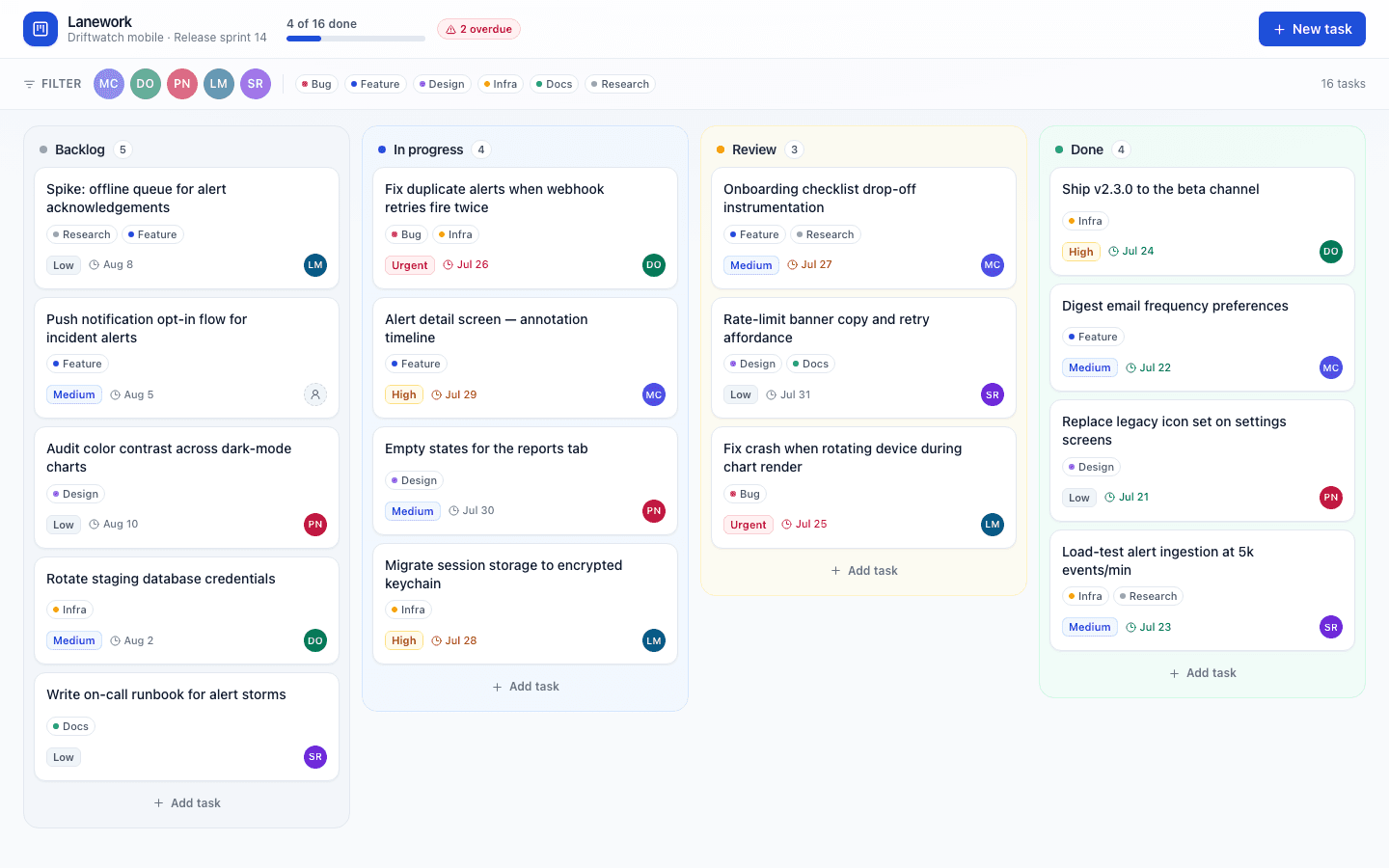
Four-column kanban board with an explicit move menu, a task detail dialog, and an activity log.
Who it is for
Teams who think in columns and want the board to be the source of truth.
What it does
- Run work across a kanban board
- Move items through stages
- See load per person or column
Common in
The brief we build from
This is the exact instruction PromptUI starts with. You can change every word of it before or after the first build.
Build Lanework, a kanban project tracker for my product team. Four columns — Backlog, In progress, Review, Done — with compact task cards showing the title, assignee initials, a priority chip, due date, and labels. Clicking a card opens a detail dialog where I can edit the title, priority, and assignee and see an activity log of everything that happened to the task. I also need an add-task composer, filtering by assignee and by label, and a slim progress header with the done count and an overdue warning. Tasks should move between columns through an explicit "move to" menu on each card — no drag-and-drop. Keep the look calm and focused: cool white background, cobalt accent, a subtle tint per column, tight density, and smooth layout animation when cards move between lanes.
Other productivity templates
Task Manager
Kanban-style task board with drag-and-drop columns.
Project Tracker
Team project management with Gantt timeline, milestones, and team assignments.
Student Project Pack
End-to-end student workspace covering research, planning, delivery, feedback, presentation, and submission readiness.
Feature Request Board
Canny-style feedback board with voting, status tracking, and roadmap view.
Start from this template
PromptUI builds it, checks that it actually runs, and helps you put it online. Free to start.
Build this