Content template
Community Feed
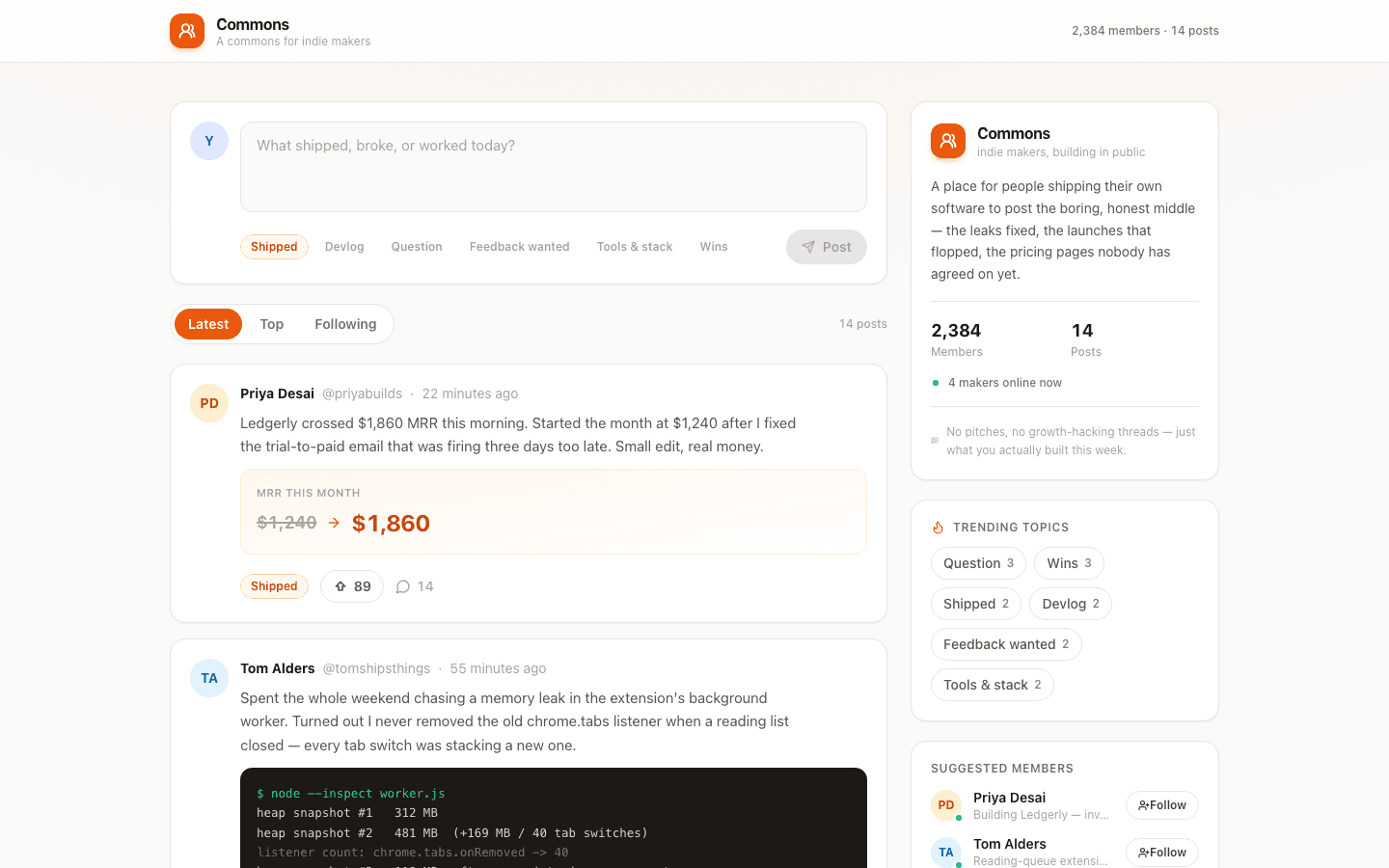
Build-in-public community feed with topic-tagged posts, optimistic upvotes, and a live compose box.
Who it is for
Community operators who need a feed their members actually use.
What it does
- Run a community feed
- Surface discussion and replies
- Moderate contributions
Common in
The brief we build from
This is the exact instruction PromptUI starts with. You can change every word of it before or after the first build.
Build me Commons, a community feed for indie makers who are building and shipping their own software. I want a compose box up top where I can write a quick update, tag it with a topic like Shipped or Devlog, and post it straight into the feed with a little animation and a confirmation toast. Below that, Latest / Top / Following tabs so I can sort by newest, most-upvoted, or just the people I follow, and each post card should show the author's initials avatar, name, handle, timestamp, the post text, an upvote button with a live count, and a comment count. On the right I want a sidebar with a community info card, clickable trending topics that filter the feed, and a suggested-members list I can follow. Keep the whole thing light and friendly — white background, rounded cards, one warm accent color — and seed it with a real-feeling batch of posts and members so it doesn't look empty.
Other content templates
Blog
Blog home with post cards, categories, and a full-post reader.
Visual Moodboard & Pin Studio
Pinterest-style visual curation engine with responsive multi-column masonry grid, board collections, image lightbox inspector, and aesthetic palette extraction.
Recipe App
Recipe collection with search, categories, and detailed recipe view.
Knowledge Base
Help center with article categories, search, and feedback system.
Start from this template
PromptUI builds it, checks that it actually runs, and helps you put it online. Free to start.
Build this