Business template
SaaS Revenue Dashboard
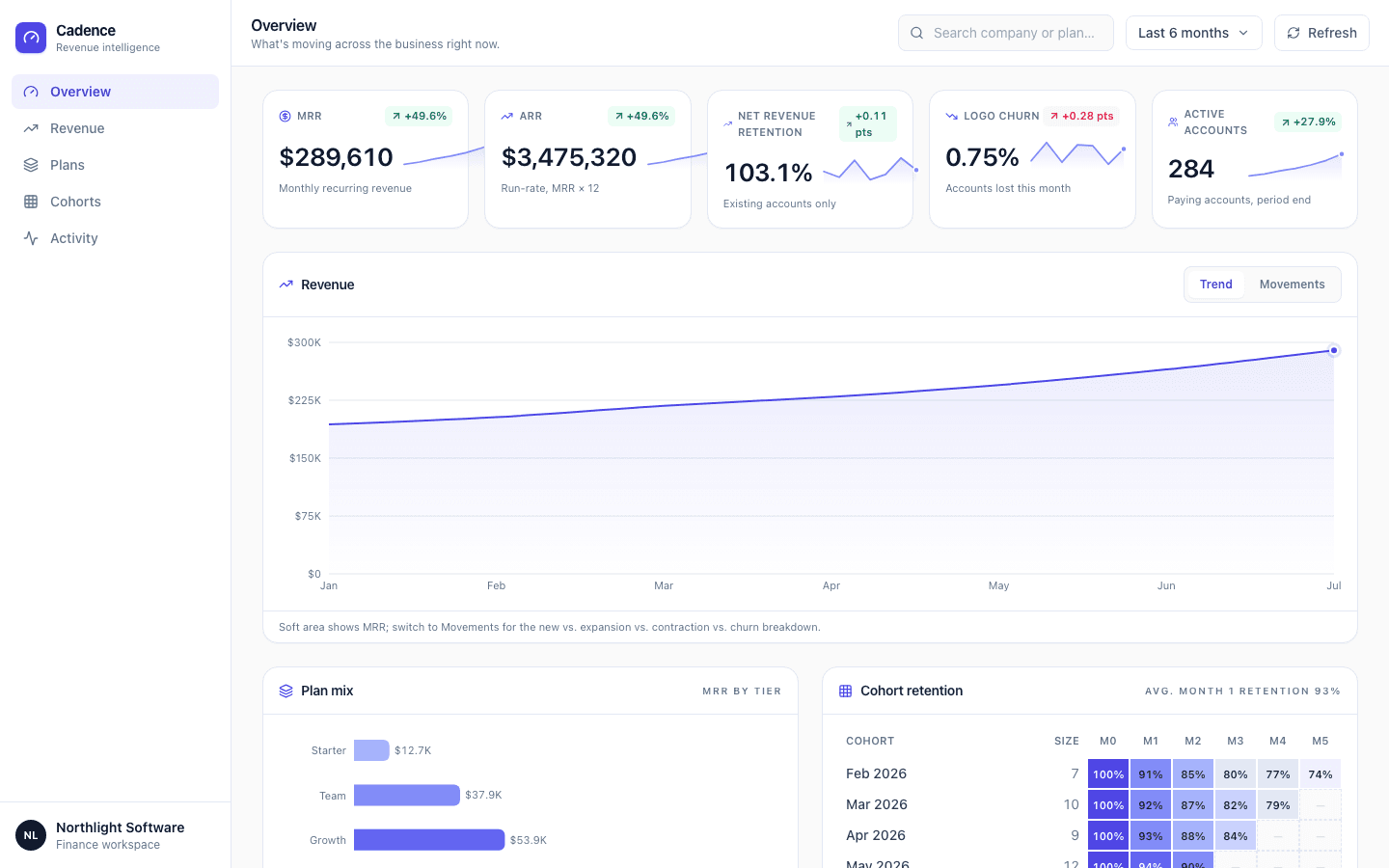
SaaS revenue cockpit with MRR/ARR KPIs, a cohort retention heatmap, and a live activity feed.
Build this Checked before it goes live
Who it is for
SaaS operators tracking recurring revenue and retention.
What it does
- Monitor MRR and ARR
- Read cohort retention
- Watch churn and expansion
Common in
SaaS
The brief we build from
This is the exact instruction PromptUI starts with. You can change every word of it before or after the first build.
Build me Cadence, the revenue analytics dashboard I want to open every morning to see how the business is actually doing — MRR, ARR, net revenue retention, churn, and active accounts, all at a glance. Keep the look clean and light: white and zinc-toned cards on a cool neutral ground, near-black text, one indigo accent for the brand and interactive bits, and green/red used only for whether a number went up or down so they never get confused with the accent. Up top give me a date-range picker and a search box, then a row of stat cards with big tabular numbers, a delta versus the prior period, and a tiny sparkline in each. Below that I want a revenue trend chart with a soft area fill that I can flip over to a new-vs-expansion-vs-contraction-vs-churn view, a plan-mix breakdown from our Starter tier up through Enterprise, a cohort retention grid colored by percentage, and a recent-activity table of signups, upgrades, and churn that I can search and sort. Seed it with about a year of realistic month-over-month numbers, a handful of cohorts, our real plan tiers, and around fifteen believable company signups so it feels like a live account, not a demo. Left sidebar with icons and labels for jumping between sections, and make the whole thing feel dense, scannable, and genuinely usable — not another generic AI-generated dashboard.
Other business templates
SaaS Dashboard
Admin dashboard with sidebar, metric cards, a data table, and dark-mode toggle.
Admin Panel
Full CRUD admin panel with users table, search, and modals.
Analytics Dashboard
Data analytics dashboard with charts, filters, and data tables.
Settings Page
User settings page with profile, notifications, billing, and security tabs.
Start from this template
PromptUI builds it, checks that it actually runs, and helps you put it online. Free to start.
Build this